





AI-GENERATED
PERSPECTIVE embraces AI
The tool to help you with:
- Suggestions.
- Decision-making.
- Creating new projects.
- Modifying personal drawings.
A true everyday companion for professionals and individuals alike, it provides support and answers to their questions. This tool can be used in many sectors where reflection and creativity are integral to the work.
Our core business is to offer AI-powered solutions to the problems that professionals and individuals may encounter.
A-I-Design 3.1 introduces a major evolution with multi-image project management, enabling the integration of up to eight elements within projects. This version allows for the precise combination of clothing, canvas (textures), accessories, backgrounds, and other graphic elements into a single, cohesive composition. The smart zone system (top, bottom, sleeves, etc.) improves the targeted application of textures, while advanced role management ensures that each image retains its function without interference. Users can now layer multiple canvases on different parts of the same garment, enrich the scene with independent accessories, and create more complex and realistic renderings. Thanks to improved priority interpretation and optimized prompt structuring, A-I-Design 3.1 offers enhanced creative control and significantly improved blending quality.
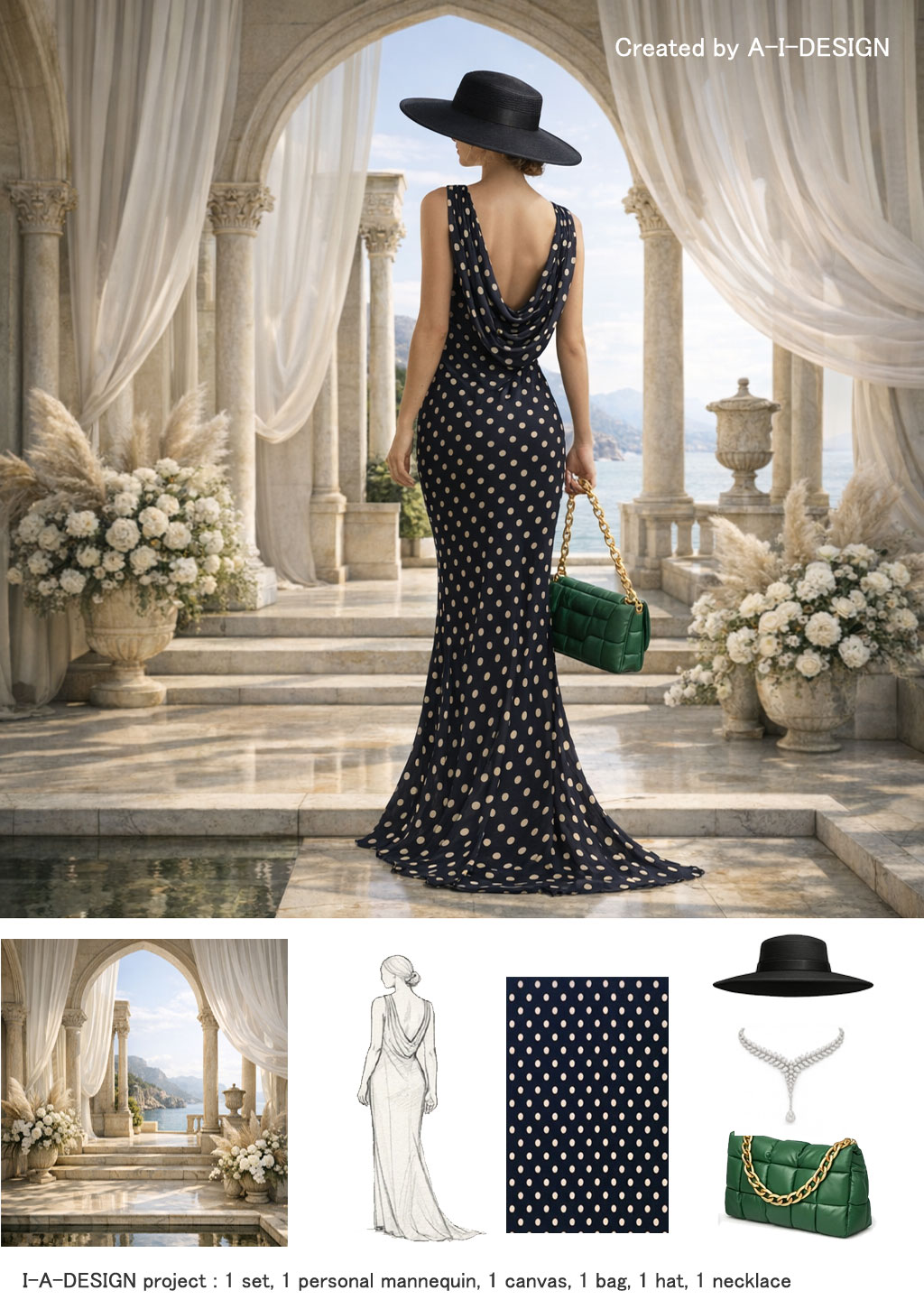
Set design, mannequin and accessories created with A-I-DESIGN v3.1
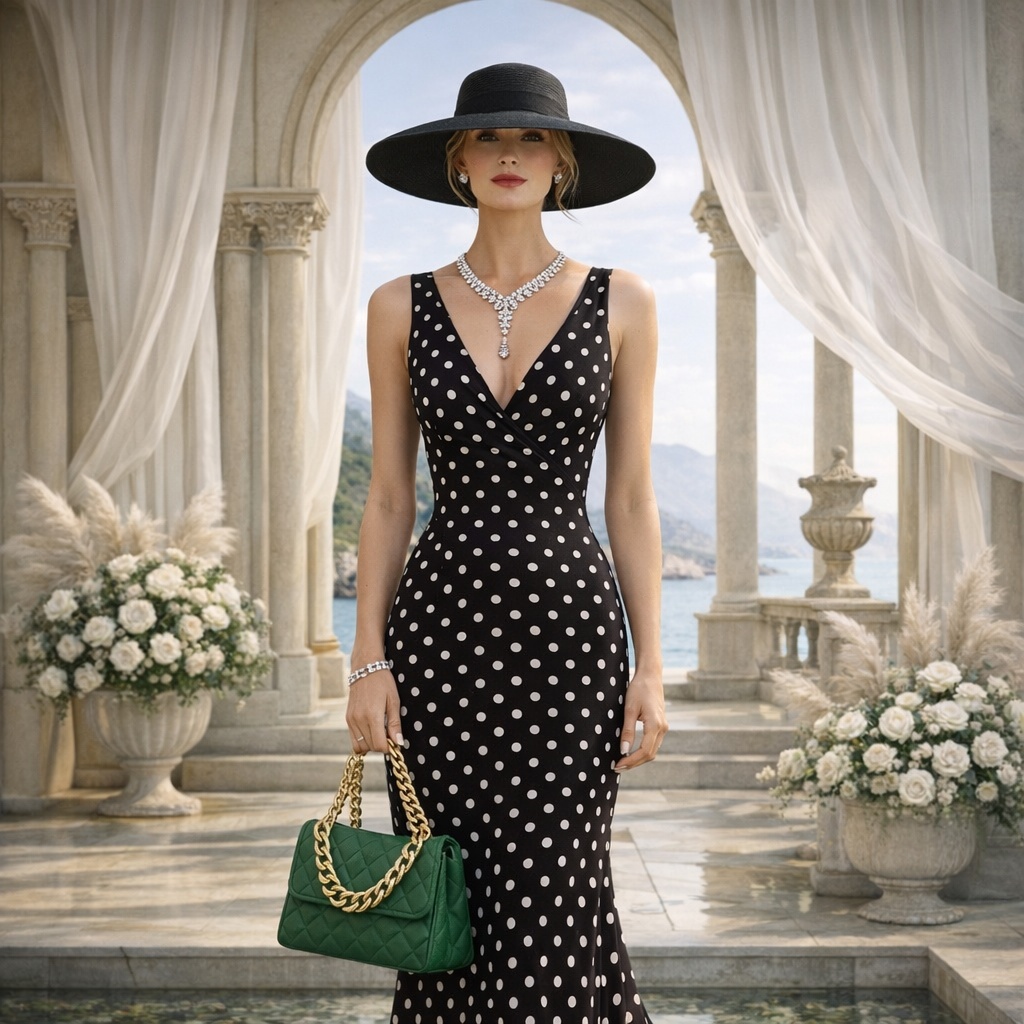
Starting from the left-hand view, A-I-DESIGN also obtained the front view (right-hand views) using artificial intelligence. The system thus reconstructs the garment, respecting its structure, volumes, and details, while maintaining stylistic consistency and the applied textures.
A-I-DESIGN project created with 1 set, 1 personal mannequin, 1 canvas, 1 bag, 1 hat, 1 necklace.
With A-I-DESIGN v4's AI Studio, It becomes simple to create a graphic scene from several personal or AI-generated images.
The artificial intelligence automatically adjusts the views, proportions, and dimensions of each element to integrate them harmoniously into a single composition.
No prior editing or manipulation using drawing or image-editing software is required; a specific instruction in the prompt sent to the AI is all that is needed.
Serving as a source of new designs, these images were created using the AI Suggestion Workshopa tool designed to generate new garments, accessories, settings, patterns, and a wide range of other elements based on precise specifications defined by the user.
Drawing on the criteria provided, it offers original designs tailored to the creative needs and requirements of each project.
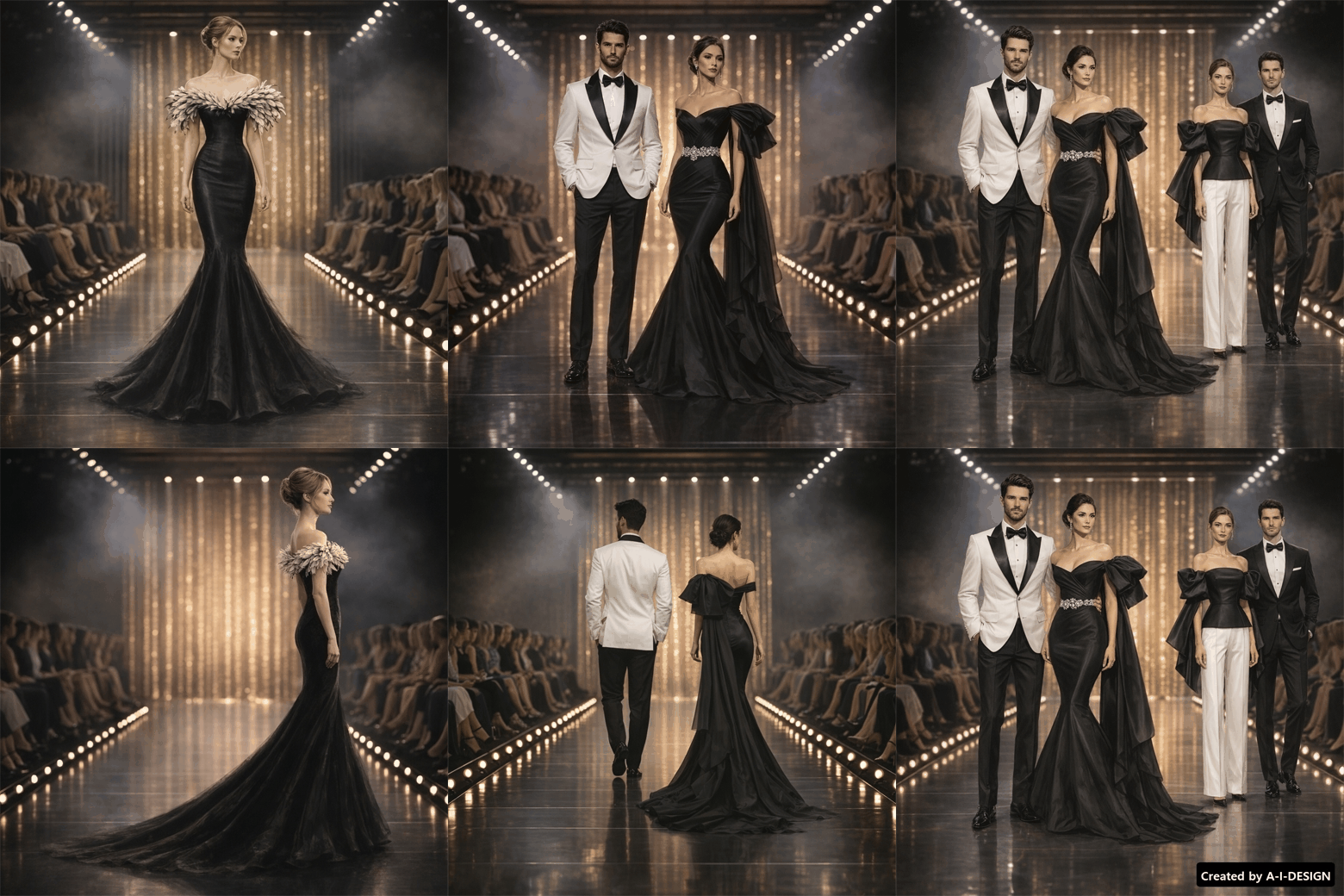
With A-I-DESIGN v4's AI Studio, creating a graphic scene from multiple personal images becomes simple.
Artificial intelligence automatically adjusts the views, proportions, and dimensions of each element to integrate them harmoniously into a unique composition.
No prior editing or manipulation using drawing or image-editing software is required; a specification in the prompt sent to the AI is all that is needed.
All transformations are performed automatically, making it possible to quickly obtain a result that is coherent, realistic, and ready for use.
This presentation was created using personal images fed into an artificial intelligence system, with instructions to apply various orientations to the source images in order to simulate a realistic presentation of the models.
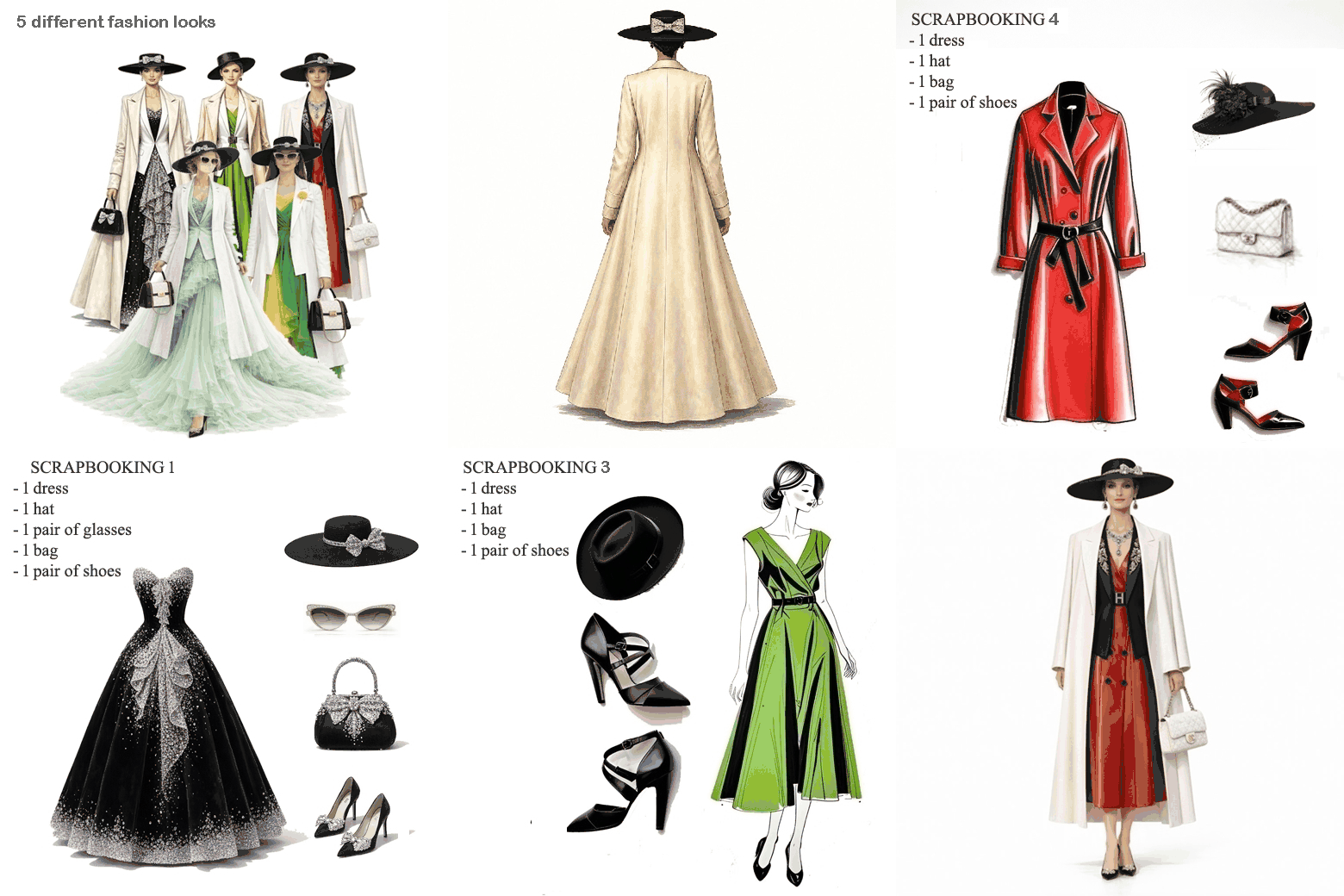
5 different outfits (1, 2, 3, or 4 garments) with various accessories
With this update, A-I-DESIGN makes creating custom outfits even easier.
You can now start with a model—whether already dressed or not—and apply a complete new outfit using a "scrapbook" layout that combines the main garment with its accessories.
This new method allows you to visually prepare all the outfit elements—clothing, jewelry, bags, shoes, and other accessories—in a single composition. Artificial intelligence then interprets the layout, integrates the various elements onto the model, and automatically adapts them to the figure.
Two styling methods
Method 1 – Element-by-element composition (4 garments)
Select a model, then one main garment plus 1, 2, or 3 secondary garments, to which several accessories can be added. Each element is selected separately to gradually build the final outfit.
Method 2 – Composition based on a scrapbook (4 garments)
Selection of a model, followed by a scrapbook layout that already combines the main garment with 1, 2, or 3 additional garments and various accessories. The AI then uses this composition as a reference to automatically dress the model.
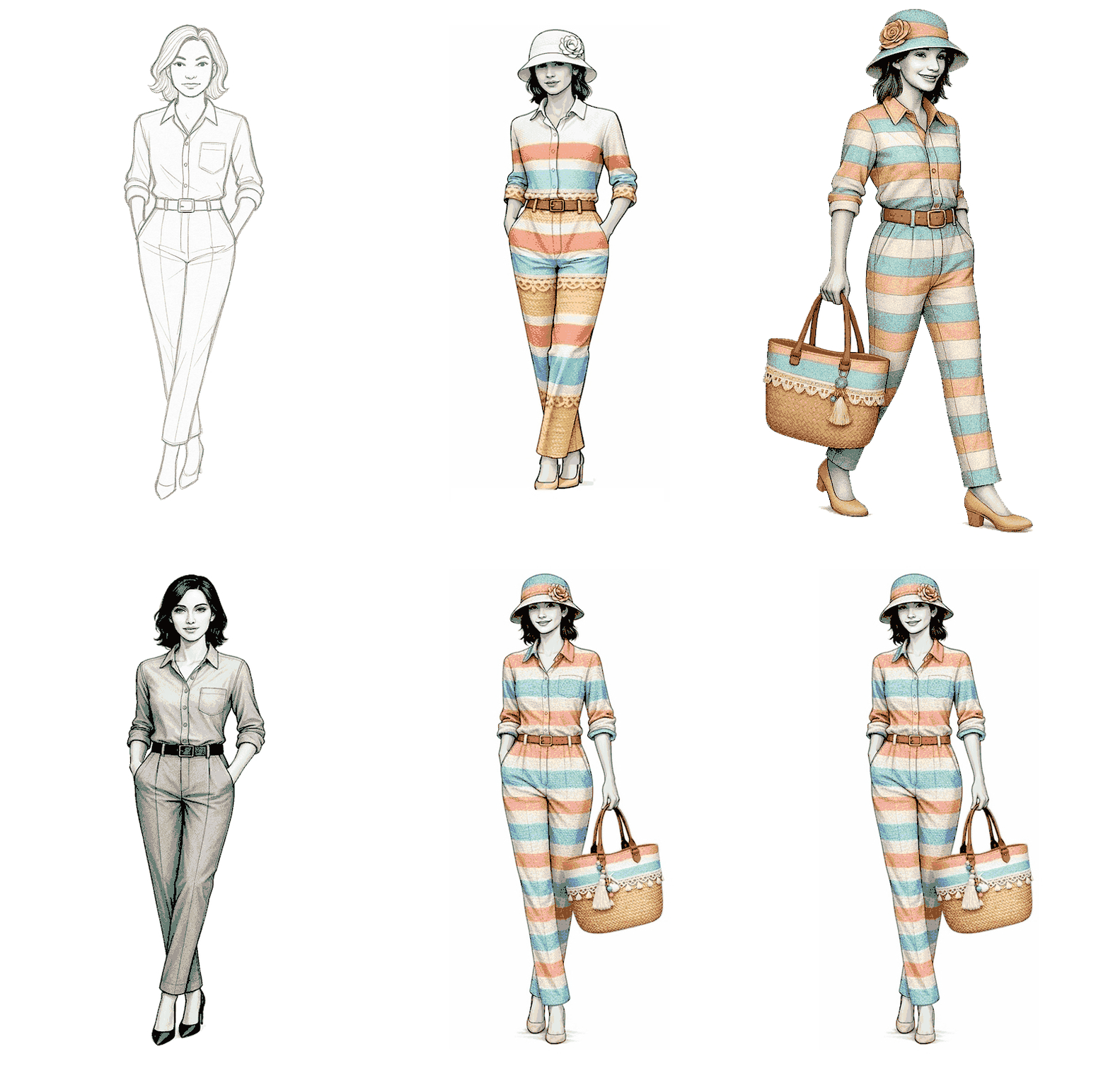
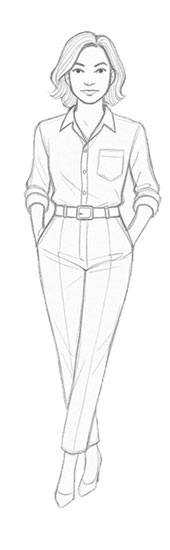
For this example, we started with a personal sketch. This was then imported into Studio IA, where it was fleshed out and enhanced to create a comprehensive presentation. Using this digitized sketch as a base, the artificial intelligence generated various options—including an outfit, accessories, and a dress design based on a textile template—along with views from multiple angles.
The goal was to produce a cohesive presentation of the design that highlighted its details, materials, and various perspectives.
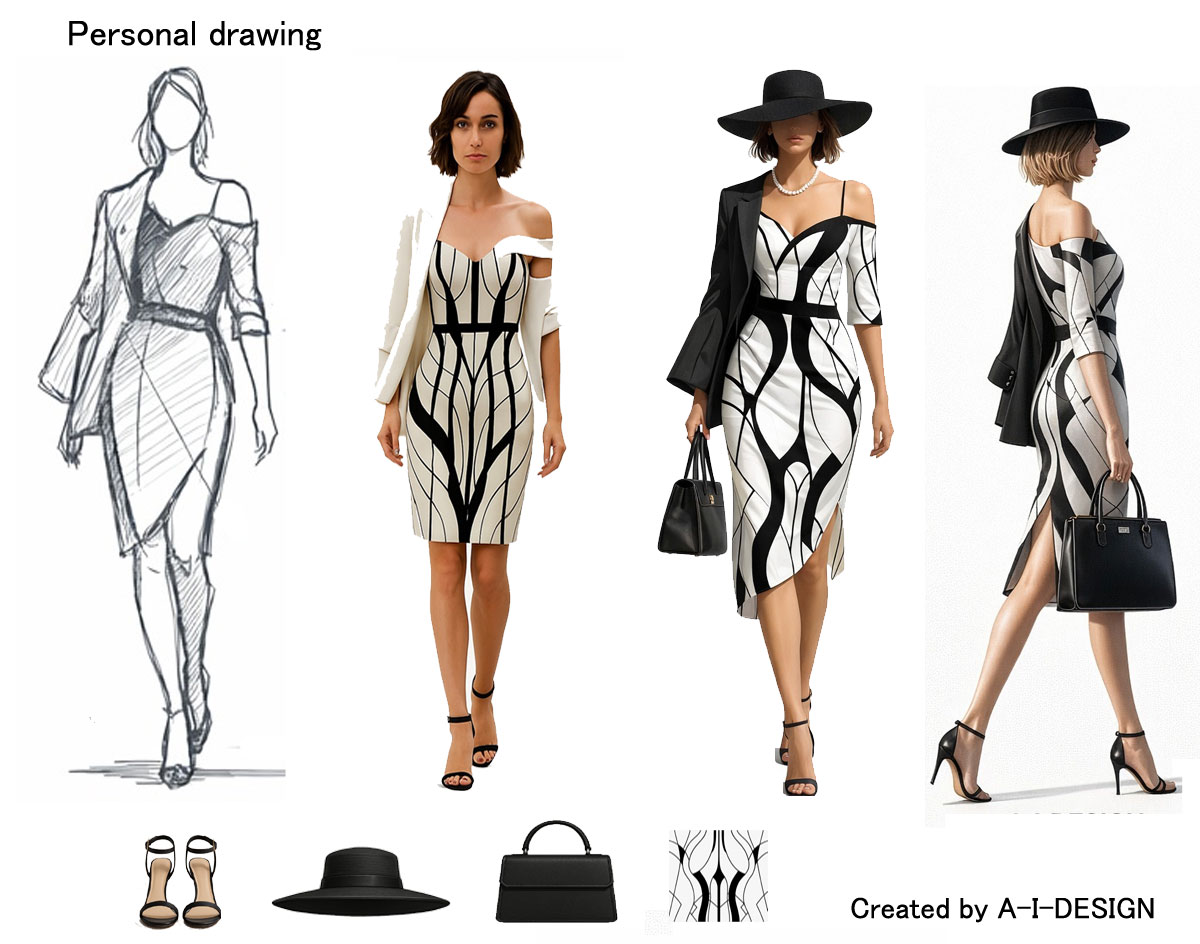
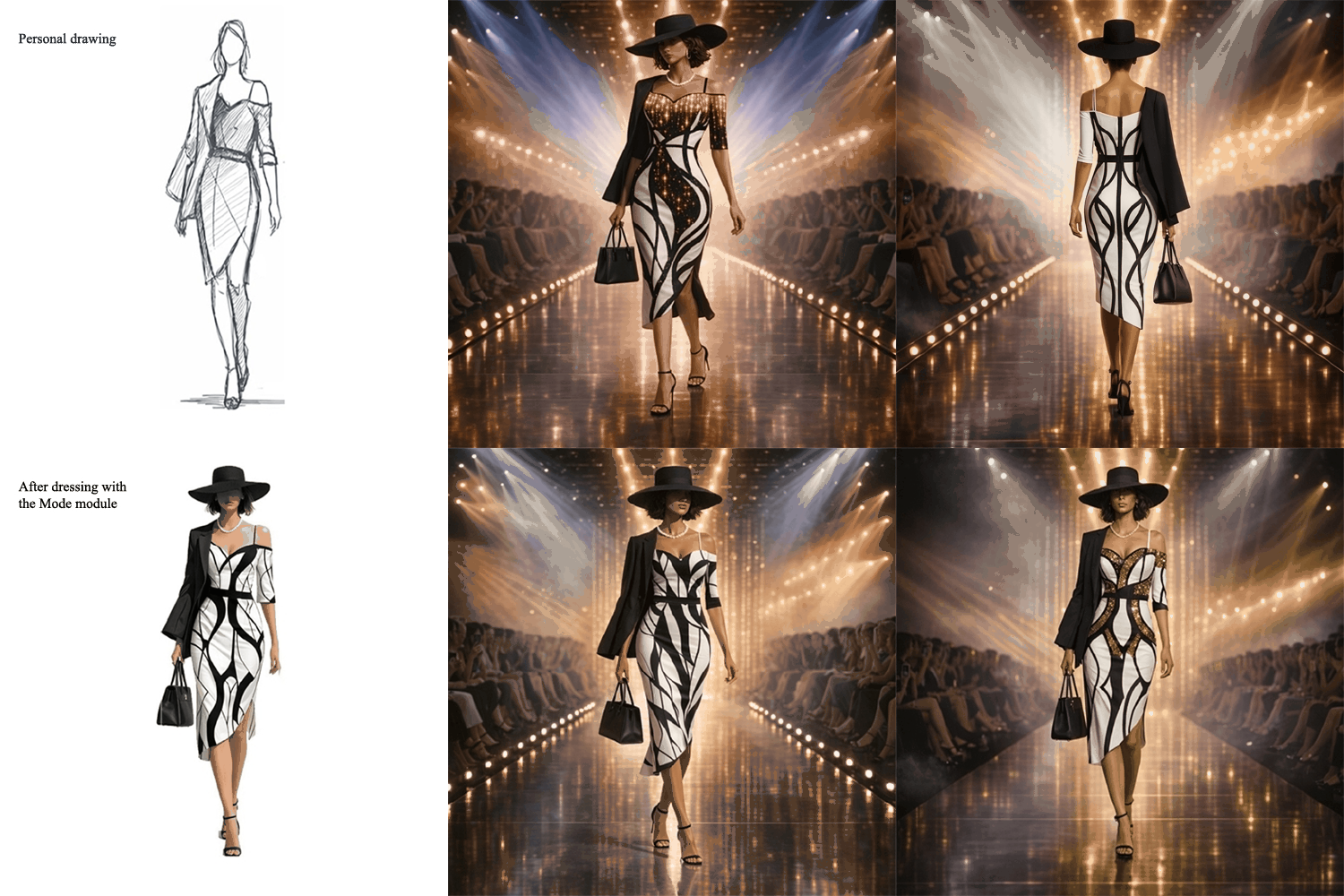
With A-I-DESIGN v3, a simple personal sketch can evolve into a complete and professional fashion presentation thanks to an AI-assisted design process.
The designer begins by importing their own sketch or garment drawing. This graphic base preserves the original identity of the project while serving as the starting point for the design. A-I-DESIGN v3 then allows the application of custom fabrics to visualize the actual look of materials, textures, prints, and colors directly on the model.
The next step involves integrating personal accessories such as bags, shoes, jewelry, belts, or other style elements. The entire look is harmonized to create a cohesive outfit that stays true to the designer's vision. This approach allows for a rapid and realistic representation of the complete outfit without the need for a photoshoot or physical prototyping.
Once the styling is finalized, A-I-DESIGN v3 automatically generates a professional presentation space. The garment can be showcased in a variety of settings: photo studio, catwalk, showroom, urban backdrop, luxury ambiance, or a fully customized environment. This contextualization enhances the design and facilitates its presentation to clients, manufacturers, investors, or buyers.
The solution also offers the generation of multiple viewpoints: front, back, left profile, right profile, three-quarter view, and close-ups of details. This diversity of perspectives allows for the examination of every aspect of the design and the creation of a truly professional presentation portfolio.
A-I-DESIGN v3 thus transforms a simple sketched idea into a visually polished collection, offering designers, stylists, and brands a quick and efficient way to present their creations in conditions approaching the standards of the fashion industry.
Drawing or Image Quality
You can achieve drawing quality by specifying a precise artistic style in the prompt (illustration, sketch, pencil drawing, comic book style) and describing the lines, textures, and type of graphic rendering desired.
For realistic image quality, you must specify photographic elements such as lighting, depth of field, resolution, realistic details, or photo-like rendering. Therefore, the more information the prompt contains about the style, technique, and level of detail, the closer the result will be to the desired visual quality..
Drawing Quality
Image Quality
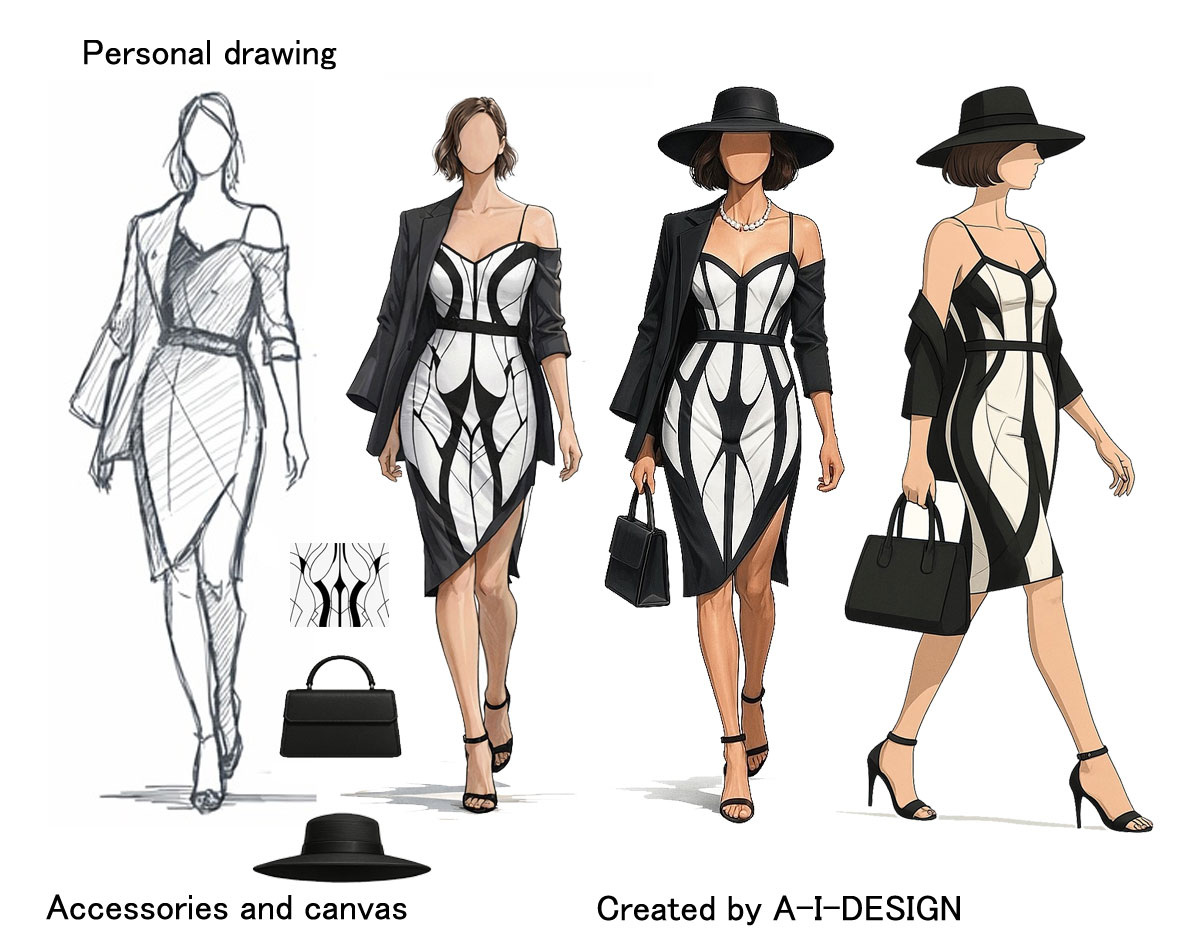
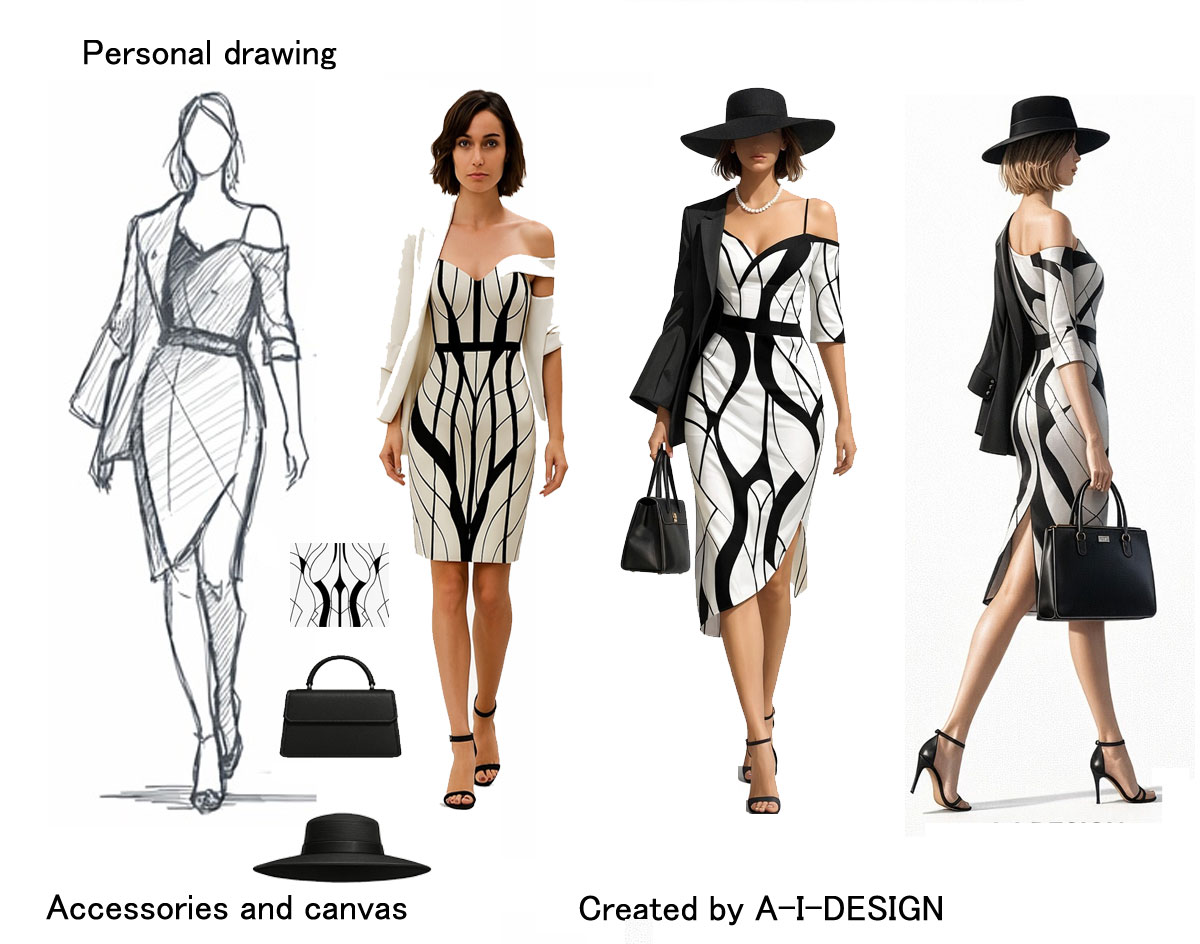
From a simple 2D drawing, artificial intelligence generates advanced three-dimensional visualizations while faithfully respecting the initial graphic style, integrating volume, material and context, in order to offer an unprecedented technological projection capability and to strengthen the understanding, iteration and enhancement of projects.
AI in fashion graphics Practical Applications
- Clothing Sketch Creation
- Fabric, Pattern, and Texture Simulation
- Fashion Trend Forecasting
- Custom Collection Design
- Virtual Fitting (Avatars, 3D Models)
Impact on Fashion
✔ Reduced Prototyping Costs
✔ More Sustainable Fashion (Less Waste)
✔ Personalization for Each Client
✔ Support and Suggestions for Designers
Artificial intelligence
Converting a 2D drawing into a 3D drawing is now a simple and accessible process that transforms a graphic idea into an immediately understandable three-dimensional representation. By preserving the style and technique of the original drawing, 3D adds depth, proportions, and texture, while highlighting the creative intent. This step facilitates project visualization, improves communication, and strengthens visual impact, making the transition to 3D a true catalyst for understanding and showcasing the concept..
Visit / Fashion Sector
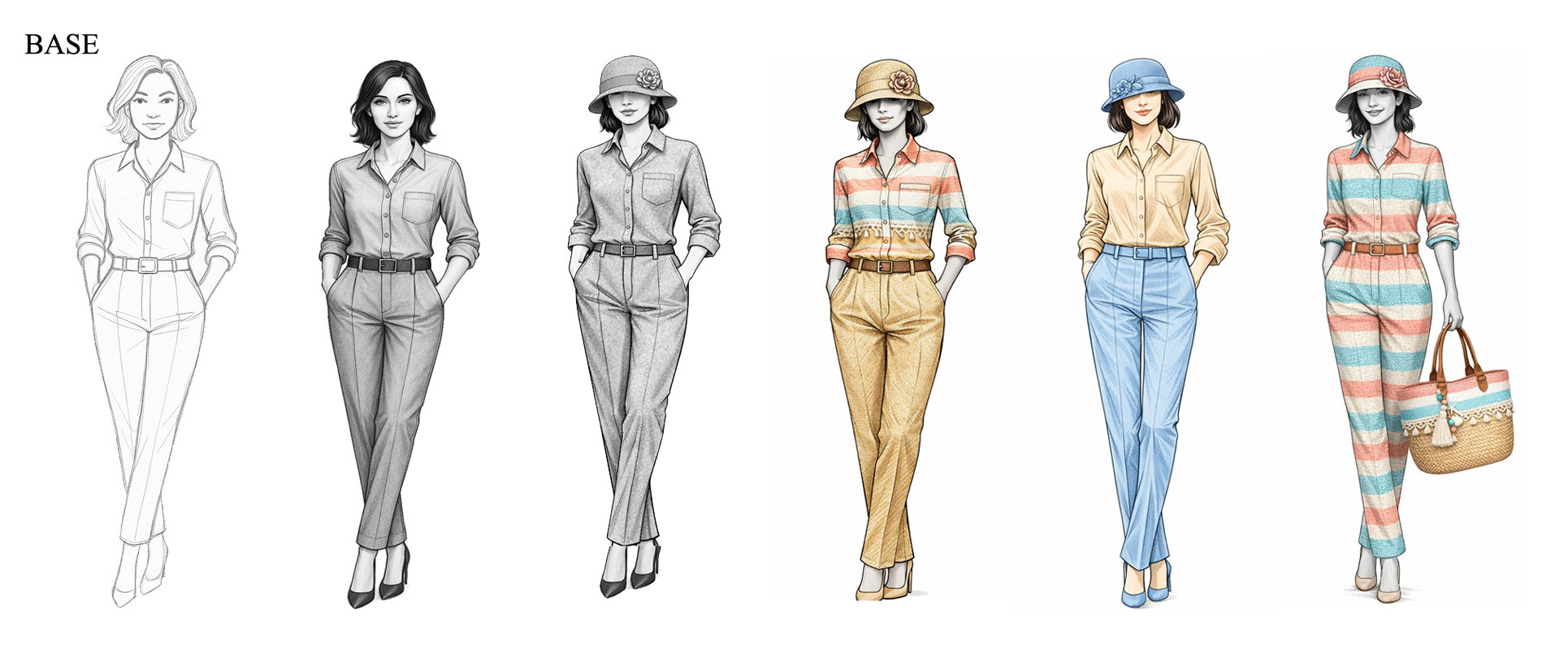
With A-I-Design, visual creation becomes intuitive and modular. It's incredibly easy to generate a basic model—whether it's a mannequin, a character, or a custom template—and then progressively enrich it using a system of independent canvases.
Each element can be designed as a separate layer: a jacket, pants, a shirt, or any other garment can be added, modified, or replaced without altering the model's main structure. This layered approach allows for quick and flexible customization, ideal for exploring different style combinations.
It's also easy to integrate accessories such as a hat, a bag, shoes, or jewelry. Each accessory can be adjusted in size, position, and style to create a harmonious and cohesive composition.
Thanks to this modular logic, A-I-Design offers a truly dynamic creative environment:
The elements
- the template,
- the hat
- the canvas,
- and the bag
were created separately with A-I-Design and then assembled with a simple prompt.
Modular, fast, and flexible, A-I-Design lets you design complete, personalized visuals in just a few clicks.
As you can see, we have deliberately changed the color of the hat, shoes, belt, and the top of the blouse and pants to end up with a set of the same type.
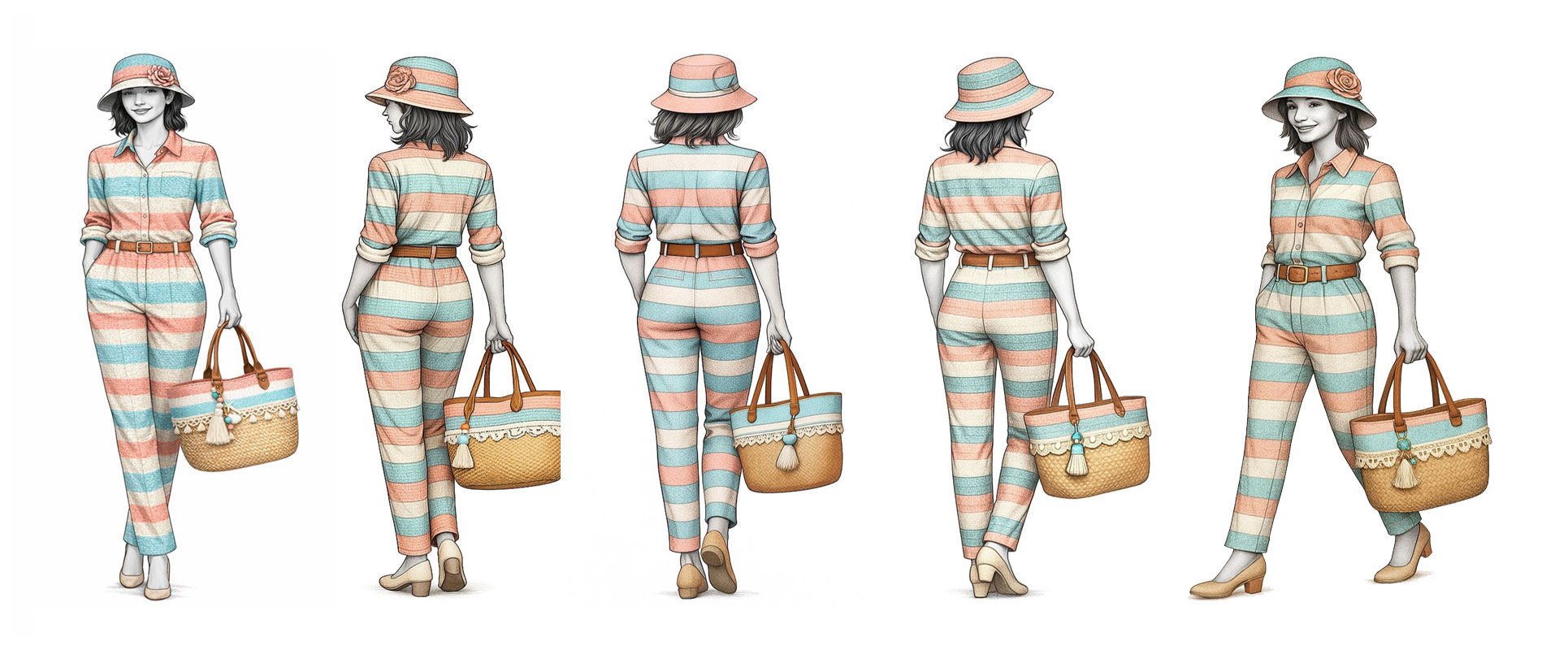


Starting with a simple 2D front view drawing (the first drawing in each group), it's easy to ask A-I-Design to create views from different angles using a simple command. The front view was first automatically converted into a 3D image, from which seven views at different angles were generated.
Example command to create a 30-degree view:
- Import the 2D drawing of the front view into A-I-Design.
- Command: Create a side view at a 30-degree angle.
As you can see, in addition to the great ease of creating the additional views, their quality is incomparable to that of the original front view image used to obtain them (1/5 scale).
Creation time by A-I-Design for each view: 1 to 2 minutes
For users without a permanent license and without an OpenAI account
Subscriber Area
PERSPECTIVE-MODE
A-I-DESIGN
Business Partners


Fashion Stylist Dir of Peps-Multimedia Dir of PERSPECTIVE-MODE